Scope and equipment
This guide is for a complete electric hobby RC car with a working, correctly paired radio. It explains an initial steering check, not radio binding, ESC calibration, charging, advanced geometry or servo replacement. The vehicle, transmitter and receiver manuals take priority, especially for gyro-equipped drift cars. We use documented examples from ARRMA, Kyosho and Traxxas without treating their menu sequences as interchangeable.
- Your exact vehicle, radio and receiver instructions, including any stabilization setup rules
- A correctly assembled car and the supported operating batteries specified by its manufacturers
- A clear dry level surface appropriate to the car, with room for slow starts and stops
- A stable support that keeps wheels clear for the stationary direction check
- A note or photograph of the starting settings; no new tuning parts are required
What each control changes
I would start with the symptom rather than the dial. A car that gently drifts away from a straight line at neutral steering presents a different question from a car that turns the wrong direction. A vehicle that turns too sharply presents another question again. Moving every adjustment at once can hide the original fault while creating two new ones. The useful goal is a known starting point that can be repeated, not an impressive-looking row of settings.
Trim moves the steering's neutral reference. Rate, sometimes labeled dual rate, changes the available steering travel around that reference. Some radios also provide separately programmed end-point adjustments; those are related to travel but are not automatically the same user control. Stabilization adds another input to steering based on the vehicle's motion. The transmitter's labels and its installed receiver determine which functions are present and how they interact.
A throttle limiter belongs beside these controls in the setup plan but performs a separate job. For example, Spektrum documents 50, 75 and 100 positions on the SLT2 DSC transmitter. Those values describe throttle-output limits, not a measurement that the car will travel at exactly half or three-quarters of its maximum road speed. Use the lower supported learning setting appropriate to the exact model and venue rather than trying to calculate a safe driving speed from the switch label.
| Question | Relevant control or check | What it does not solve |
|---|---|---|
| Small neutral steering offset | Steering trim | Large mechanical misalignment or damaged parts |
| Too much steering travel for your inputs | Steering rate / dual rate | Wrong steering direction |
| Unexpected automatic steering corrections | Exact stabilization instructions | Binding or a loose wheel |
| More throttle than the venue suits | Supported throttle limit / training mode | Insufficient clearance or unsuitable terrain |
Sources: Spektrum SLT2 DSC SPMRSLT270 English user guide · control definitions and model-specific setup ↗ · ARRMA ARA2304 multilingual manual · exact Mojave GROM 223S family and DSC controls ↗
A sensible first-run setup order
Work through these checks with one change at a time. Stop when a check fails and establish the cause before continuing. You do not need to dismantle a working Readyset to learn what its controls do. Equally, powered radio adjustments should not be used to push a stiff mechanism into moving. Keep hands, clothing and tools clear of powered wheels and use the exact equipment's operating instructions throughout.
Identify the controls and save the starting point
Find steering trim, steering direction, steering rate and any stabilization setting in the actual radio manual. Record their starting positions. Avoid an exploratory factory reset: it can remove settings that the assembled car relies on and introduce a need for model-specific setup. If a multifunction knob has another assigned role, establish that assignment before turning it.
Inspect mechanical movement with power disconnected
Look for a displaced body, trapped debris, a loose wheel or something visibly obstructing the steering linkage. A recent impact or a sudden change makes this check especially valuable. Follow the model's inspection guidance; do not force the servo output or wheels by hand against the mechanism. Repair or obtain help for a clear mechanical problem before compensating with the radio.
Check direction while the car is supported
Secure the chassis so the wheels are clear and observe it from behind, facing the same direction as the car. Follow its normal power-up instructions and use steering only. Turning the radio wheel right should produce the model's intended right turn from that viewpoint. If direction is reversed, stop and use the documented steering-reverse procedure. Reversing throttle is not the remedy for a steering-direction fault.
Select the model’s restrained learning configuration
Choose the supported throttle-limit or training setting and note the required stabilization state for setup. There is no universal instruction to disable every gyro: some systems specify particular centering or initialization conditions. Use those instructions, let initialization finish and leave the car stationary when required. Do not copy a brand's button sequence into a different transmitter because its case looks similar.
Make a small straight-line trim correction
On the chosen level surface, drive slowly away with neutral steering and enough clear space to stop. If it consistently veers, stop and make a small correction using the documented trim control, then repeat the same short run. Try the strip in the opposite direction to help reveal surface influence. That comparison is a diagnostic clue, not proof of a specific failed part.
Check usable steering travel separately
Once neutral tracking is reasonable, evaluate gentle turns at the same restrained throttle setting. Adjust steering rate in small increments if your radio provides it, checking both directions for interference. Do not deliberately hold a servo against a mechanical stop. Separate end-point programming is an advanced model-specific procedure; an ordinary rate dial is not permission to ignore an incorrectly set mechanical limit.
Evaluate assistance, then record the working baseline
Only after the basic checks should you compare documented stabilization settings on the same surface. Stop before changing them. Note whether the car responds more predictably for the intended activity, rather than assuming more correction is always better. If steering becomes erratic or oscillates, stop, restore the last known documented configuration and inspect or seek manufacturer support before continuing. Record the final settings and the exact model.
Sources: Spektrum SLT2 DSC SPMRSLT270 English user guide · control definitions and model-specific setup ↗ · ARRMA ARA2304 multilingual manual · exact Mojave GROM 223S family and DSC controls ↗ · Traxxas · How To Adjust the Steering Trim · 11 February 2020 support article ↗
Three models show why the instructions must stay specific
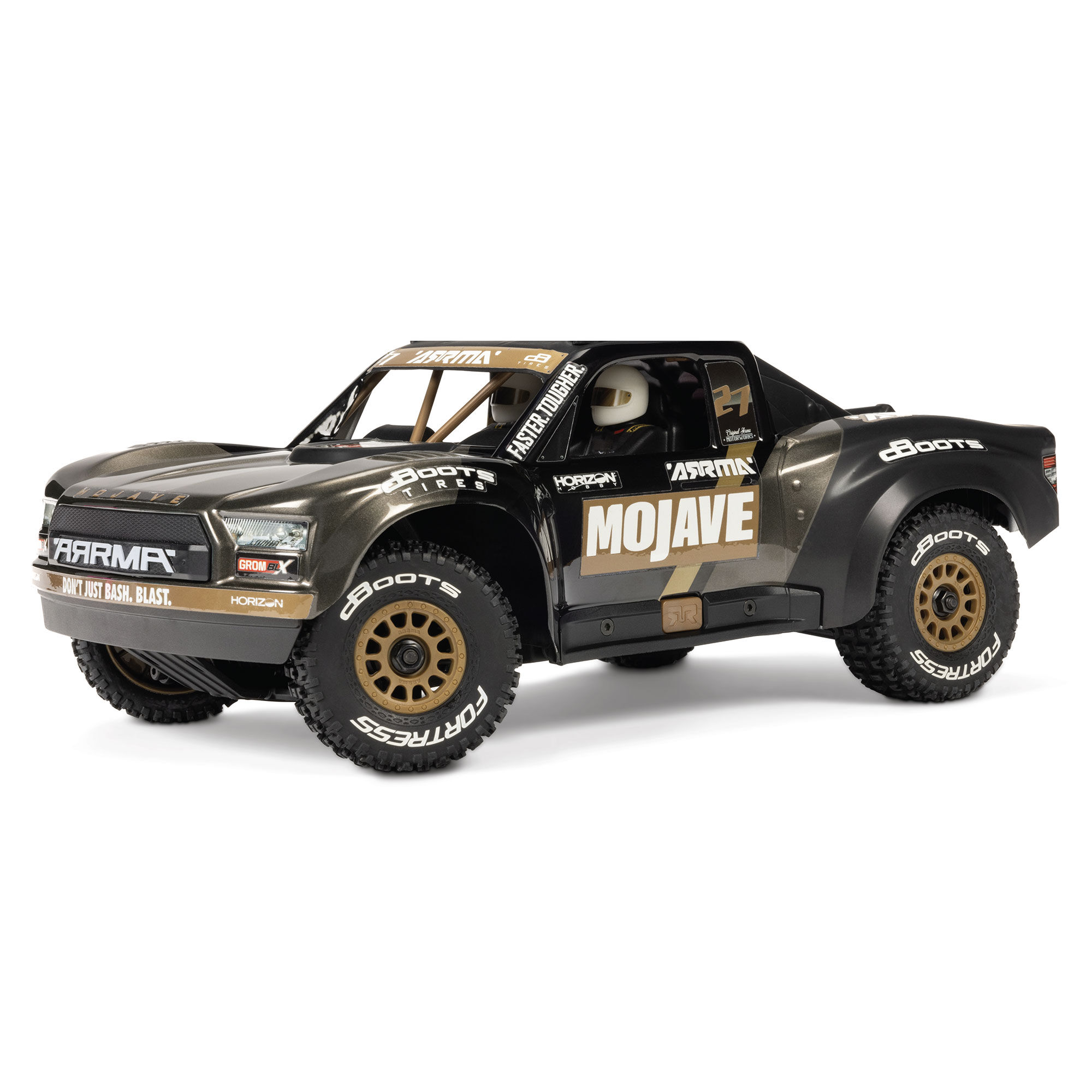
The ARRMA Mojave GROM 223S ARA2304T1 pairs a DSC-equipped receiver system with the SLT2 DSC transmitter. Its manual documents separate throttle limiting and four DSC levels. Those are two different adjustment ladders, not two names for one control. The important first-run lesson is to know which ladder you changed and keep the other stable while evaluating the result. The manual's exact sequence belongs to this equipment combination.
Kyosho's MINI-Z AWD Initial D R32 32652ID is different. Its KT-531P offers training mode, trims and steering dual rate, but the current exact product page identifies the MZW711 gyro as an optional separate accessory. A gyro provision or sensitivity adjustment does not mean a gyro is installed. Start by identifying the actual equipment rather than trying to tune an absent system or purchasing an accessory based on another MINI-Z generation's advice.
Dedicated drift equipment introduces further distinctions. Greg Vogel's February 2026 RC Driver coverage of the Traxxas 4-Tec Drift Nissan 240SX 105247-4 identifies adjustable steering and drift modes. That independent coverage is useful context for the model's purpose; it does not make a general basher-radio sequence the correct drift setup. Read the exact 240SX instructions and our full package review before interpreting the controls. We have not driven these three cars back to back or assigned measured steering-performance scores here.
| Complete vehicle | Documented distinction | Setup implication |
|---|---|---|
| ARRMA Mojave GROM 223S · ARA2304T1 | SLT2 DSC; throttle limit and separate DSC modes | Record both settings; follow the paired vehicle/radio instructions |
| Kyosho Initial D R32 · 32652ID | KT-531P training mode; gyro is optional | Verify whether the specified gyro is actually fitted |
| Traxxas Nissan 240SX Drift · 105247-4 | Dedicated drift controls and adjustable steering | Use its drift-specific instructions, not a copied SLT2 sequence |
Sources: ARRMA ARA2304 multilingual manual · exact Mojave GROM 223S family and DSC controls ↗ · Kyosho exact 32652ID page · KT-531P training, dual rate and optional MZW711 gyro ↗ · RC Driver · Greg Vogel · Traxxas Nissan 240SX Drift Car · 20 February 2026 ↗
When trim is the wrong answer
A large trim requirement deserves a mechanical and setup check. Traxxas's steering-trim support article specifically discusses mechanically recentering the servo horn when substantial correction is needed, rather than continuing to consume the trim range. That is a model-specific repair/setup task, not an instruction to loosen an unknown linkage while it is powered. If you are unfamiliar with servo centering, use the exact manual and an experienced helper or manufacturer support.
An inconsistent pull is also different from a small repeatable offset. Check the same clear test strip, the tire condition, debris, the steering mechanism and the documented battery state before blaming a setting. A car that seems to reverse left and right only when approaching may simply be confusing your viewpoint: its right-hand turn is seen from the opposite direction. Verify direction from behind while stationary before changing the steering-reverse setting.
Persistent buzzing, clicking, obstruction or erratic steering is a reason to stop. Increasing rate or gyro gain cannot establish that a servo is healthy, and a radio adjustment cannot prove that a damaged component is safe to continue using. Return to the last known configuration and identify the actual fault. Keep a note of when the symptom began and what changed; that is more useful to support than a description that every dial is now somewhere different.
| Symptom | First check | Avoid |
|---|---|---|
| Small consistent pull | Level surface and small trim correction | Large unrecorded changes |
| Wrong direction from behind | Exact steering-reverse instructions | Changing throttle direction |
| Pull changes between runs | Surface, tires, debris and steering freedom | Treating trim as a confirmed repair |
| Buzzing or binding at travel limit | Stop; inspect travel and mechanical clearance | Holding the wheel at the stop |
| Unexpected corrective steering | Actual gyro equipment and setup instructions | Assuming maximum gain is best |
Sources: Spektrum SLT2 DSC SPMRSLT270 English user guide · control definitions and model-specific setup ↗ · Traxxas · How To Adjust the Steering Trim · 11 February 2020 support article ↗
What to record before the next run
A useful setup note is short: exact vehicle and transmitter, installed stabilization equipment, surface, steering trim, steering rate and throttle-limit or training setting. Add a photo of physical knobs when the radio does not display numerical values. Do not invent a percentage for an unmarked dial. If the car is shared, that note makes it easier to restore a familiar configuration after somebody else has adjusted it.
Repeat the basic direction and freedom checks after an impact or relevant repair. Change only one setting during a comparison and keep the course consistent. If a limitation comes from the driving surface, choose a more suitable venue before buying parts to solve it. The successful outcome is a car that responds in the expected direction, tracks reasonably at neutral on the chosen test strip and turns without obvious mechanical interference. That is a usable baseline for learning, not a promise of perfect alignment, a universal drift setup or proof of long-term reliability.
Sources: Spektrum SLT2 DSC SPMRSLT270 English user guide · control definitions and model-specific setup ↗ · ARRMA ARA2304 multilingual manual · exact Mojave GROM 223S family and DSC controls ↗ · Traxxas · How To Adjust the Steering Trim · 11 February 2020 support article ↗
Your first-run steering checklist
- Exact vehicle and radio instructions identified; actual gyro equipment confirmed
- Steering mechanism clear of visible obstruction and no unresolved binding
- Direction checked from behind with the chassis safely supported
- Supported learning throttle/training setting selected
- Small neutral correction checked on a level suitable surface; large correction investigated
- Steering travel checked in both directions without holding against a stop
- Any assistance changes made stationary using the exact instructions
- Working settings recorded; stop and investigate erratic behavior
Frequently asked questions
Does steering trim change the maximum turning angle?
Its primary job is to move the neutral steering reference. Steering rate/dual rate and model-specific end points control travel. Large trim can leave an unsuitable setup, so inspect rather than treating the entire trim range as a repair.
Should I turn the gyro off to set trim?
Follow the actual stabilization instructions. Some systems specify a particular setup state; this guide does not make one universal gyro-off rule for all receivers and drift cars.
Is 50% throttle exactly half the top speed?
No. It is a transmitter throttle-output limit, not an independently measured road-speed percentage. Surface, load, battery and electronics affect vehicle speed.
My RC car needs nearly full trim. What next?
Stop and check the mechanism and exact servo-centering instructions. Traxxas specifically identifies mechanical horn recentering as a remedy for a large correction on its applicable equipment. Do not transplant that procedure into an unidentified steering assembly.
Does the Kyosho 32652ID include its gyro?
No. The current exact product page identifies the separately sold MZW711. Verify the actual board and installed equipment; training mode and a gyro adjustment provision do not establish that stabilization hardware is fitted.
Sources and method
Research-led explanation, checked 15 October 2026. Manufacturer controls and compatibility are distinguished from the recommended diagnostic order. Exact button sequences, electrical calibration and battery charging are left to the installed equipment’s instructions. The independent 240SX coverage establishes model context only. The conceptual diagram is original; the ARRMA photograph is credited manufacturer media. No physical test, ownership, universal setup value or measured result is claimed.
- Spektrum SLT2 DSC SPMRSLT270 English user guide · control definitions and model-specific setup ↗Manufacturer documentation · checked 15 Oct 2026
- ARRMA ARA2304 multilingual manual · exact Mojave GROM 223S family and DSC controls ↗Manufacturer documentation · checked 15 Oct 2026
- Kyosho exact 32652ID page · KT-531P training, dual rate and optional MZW711 gyro ↗Manufacturer documentation · checked 15 Oct 2026
- Traxxas · How To Adjust the Steering Trim · 11 February 2020 support article ↗Manufacturer documentation · checked 15 Oct 2026
- RC Driver · Greg Vogel · Traxxas Nissan 240SX Drift Car · 20 February 2026 ↗Independent exact-model coverage; no test results transferred · checked 15 Oct 2026
First published 15 October 2026. Manufacturer control definitions, exact-model examples and source dates checked for this edition.